



Full View
Similar items
1/2 Mile Range Doorbell Wireless Home Intercom For Door Chime Rechargeable Intercomunicador Waterproof Electronic Doorbell Chime
NZ$58.47
NZ$90.39 -35% OFF

Video Doorbell Camera HD IR Alarm WiFi Doorbell Wireless Operated Motion Detector Audio & Speaker Night Vision For IOS & Android
NZ$126.22
NZ$187.55 -32% OFF
Smart Home Doorbell Wireless Outdoor Doorbell IP65 Waterproof Door Bell 39 Songs Smart Security Alarm Door Bell Chime Kit
NZ$58.14
NZ$80.09 -27% OFF
Tuya WiFi Wireless Video Doorbell Camera HD Video Intercom Smart Home Security Protection Night Vision For Home Office
NZ$85.26
NZ$138.68 -38% OFF
4.3-inch Monitor 1080P Wireless WiFi Smart Tuya Peephole Doorbell Camera Video Doorbell With PIR Motion Detection Eye
NZ$275.44
NZ$366.68 -24% OFF
Danmini Q7 145° Wireless Bell Peephole Camera PIR Door Bell 1MP Visual Doorbell Security Camera Monitor Peephole Door Camera
NZ$125.59
NZ$171.41 -26% OFF
Yuezhe Tuya 3MP Peephole Smart Wifi Doorbell With Camera 4.3inch 1080P Eye 5000mAh PIR Motion Alarm Alexa Bell For Home
NZ$108.50
NZ$166.00 -34% OFF
Video Doorbell Camera Wireless W/ Chime Ringer Battery Powered Smart AI PIR Human Detection 2.4G WiFi 2-Way Audio Night View
NZ$84.08
NZ$132.45 -36% OFF
4 Wired Video Intercom System RFID Unlock Camera Doorbell With 7 Inch Screen Night Vision Home Door Bell For Villa M72T
NZ$162.05
NZ$264.56 -38% OFF
Digital D382 868MHz Garage Remote Control Compatible With D384 D302 D304 D313 D321 D323 868 Gate Keyfob
NZ$31.86
NZ$43.57 -26% OFF
Danmini Visual Doorbell Peephole 4.3'' LCD HD Display Digital Door Viewer 1 Million Pixel 120° Camera Security Cat Eye Door Bell
NZ$243.18NZ$384.01
Color : Silver


Quantity :

Report
Include copyright infringementFree Standard Shipping. See details
Estimated between Thu, Jul 30 and Tue, Aug 4
You can return the product within 30 days of receipt. See details
Shop with confidence

Money Back Guarantee
Get the item you ordered or your money back. Learn more
About this item
Sourced from LBLanfang
Seller assumes all responsibility for this listing.Item number: 37378889
Item specifics
Item description from the seller
Tips:
1.The first button is the menu button and the confirm button. Clicking the menu button will enter the main menu interface. The photo mode and video mode are the same icon. After selecting them, press the menu button to switch. The recording mode requires a card to be inserted before it can be used.
2.The sensitivity of the mobile monitoring function has three types: low, medium, and high, and can also be turned off.
3.This product has six languages, including English, Chinese, Russian, French, Italian, and Spanish, which can be changed in the settings.
4.The recording time can be set to automatically record for 10, 20, or 30 seconds, and you can adjust it according to your needs. After setting up, click the recording button to automatically record the video.
5.The photo quality can be selected from 1M, 2M, 3M. The larger the memory, the clearer the photo. You can adjust it according to your needs. When there is not enough memory, you can enter the main menu page, click on the album, enter it, select the unwanted photos, and click the menu button to delete them.
6.The number of photos can be set to 1, 2, or 3 per shot, and you can adjust it according to your needs. After setting up, press the photo button to take the desired number of photos at once.
7.The automatic screen shutdown time is 10, 20, and 30 seconds, and it can also be turned off, but it will cause the battery to consume quickly.
8.The light source frequency has two types: 50HZ and 60Hz. The higher the frequency, the higher the power consumption. You can adjust it according to your needs.
9.The formatting function will clear the contents of the memory card, please use it with caution. Resetting the system option will restore all product features to factory default settings.
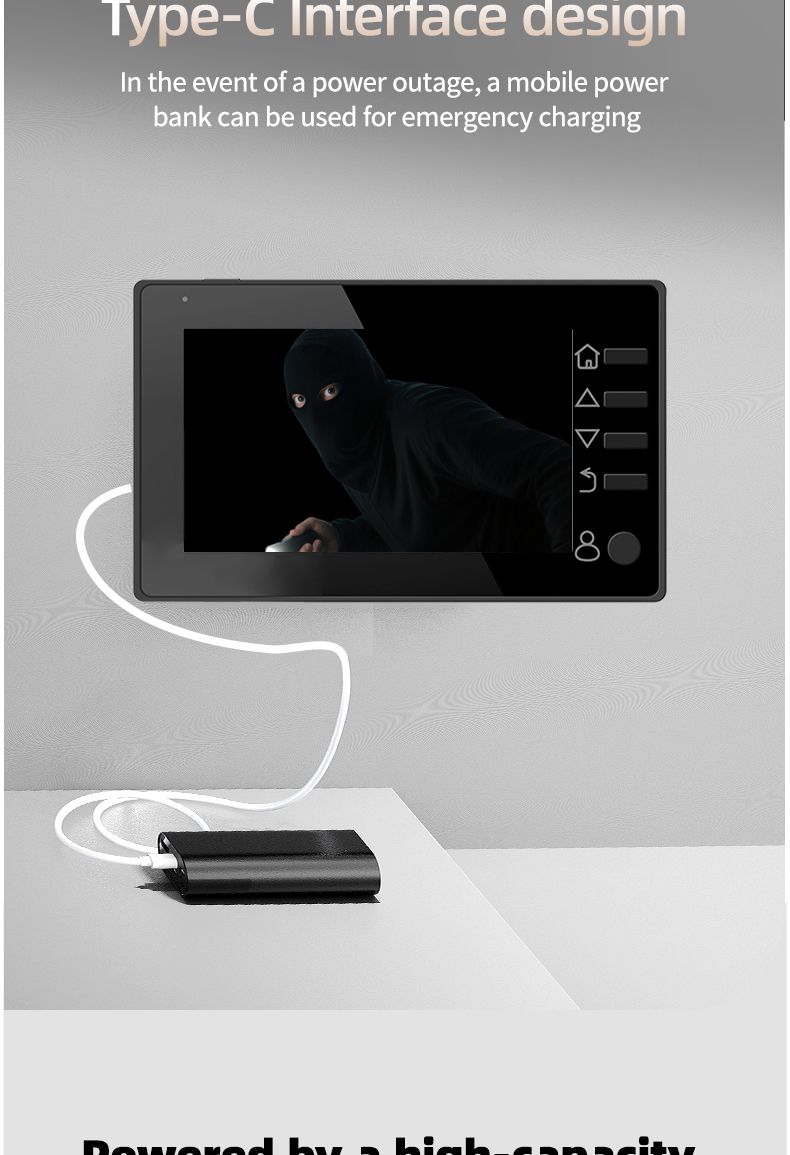
10.This product has two power supply modes. You can use a 1800mAh rechargeable lithium battery or a 5V1A external power supply before testing and using it.
11.This product has infrared night vision function.
12.This product is a standalone peephole doorbell, and you cannot synchronize the screen to your phone through WiFi connection.
13.Due to manual measurement, please allow for a difference of 1-3CM.
Thank you for your understanding!!!
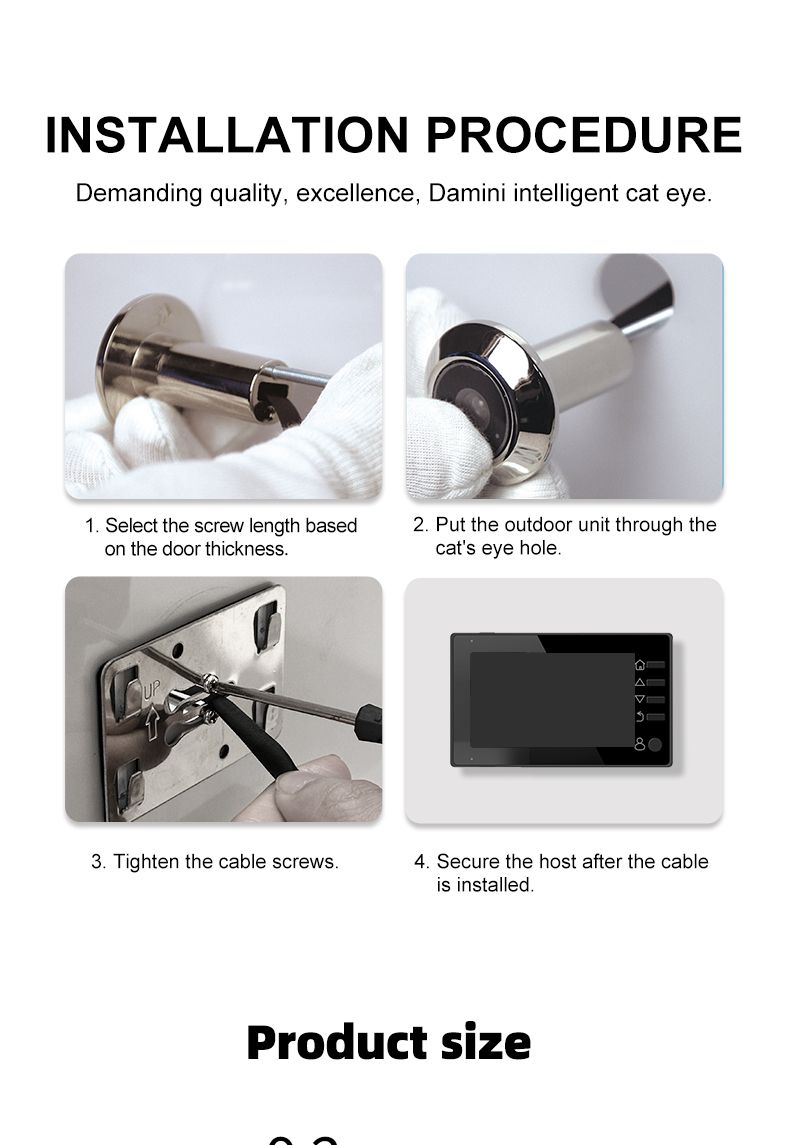
Handle the peephole camera cable with care during installation; do not pull it forcefully.
When installing, align the peephole connector with the display port and press down gently.
After connecting, do not drag the display unit by the peephole camera.
Dragging the camera may damage the internal wiring.
When removing, lift the display gently and carefully snap the peephole connector out from the left and right sides.






Videos
Videos for this product

